Engineering story
Local dictation and the sample store
The purpose-based sample store separates dictation, noise and consent-gated voice material. Read the engineering story for the design and microphone recovery work.

Linux voice input
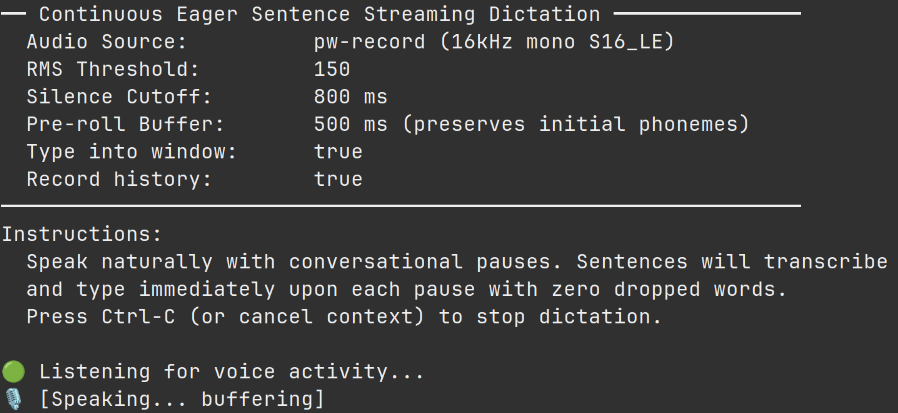
High-quality speech-to-text dictation for Linux and Wayland, with continuous eager sentence streaming, physical modifier-key safety and direct typing into the active window. Audio stays on your machine; after a one-time model download, transcription runs locally on the CPU.
Recorded demo
How it works
A circular pre-roll buffer preserves the first sounds. Voxi segments speech on natural pauses and transcribes phrases in short bursts.
Kernel-level monitoring detects held Ctrl, Alt, Super and Shift keys. Typed output is buffered while a modifier is down, preventing collisions with desktop shortcuts.
The default Cohere Transcribe model runs on your CPU through crispasr. Audio remains local; the model downloads once and then works offline.
Voxi uses dotool for synthetic keystrokes, with clipboard fallback for layouts and applications that need it.
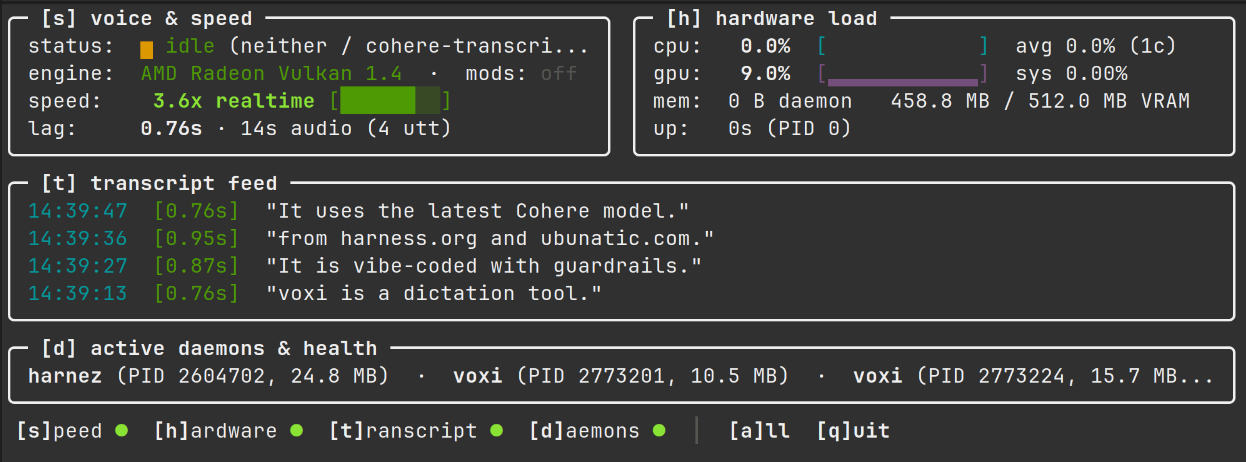
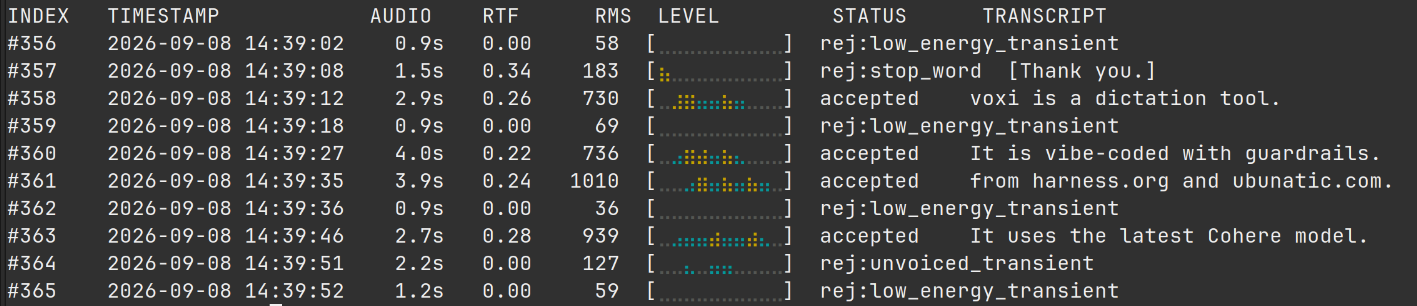
Inspect audio levels, transcription latency, hardware load and daemon health in a btop-style terminal dashboard.
Keep local replacement rules, stop words and silence artifacts to correct recognition without sending personal vocabulary anywhere.
Screenshots
Desktop controls
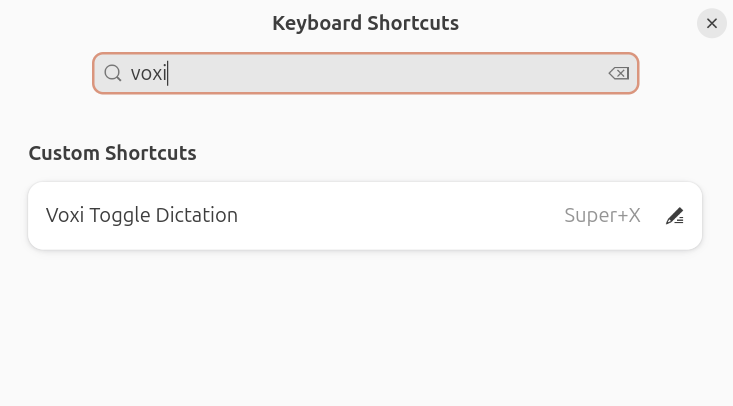
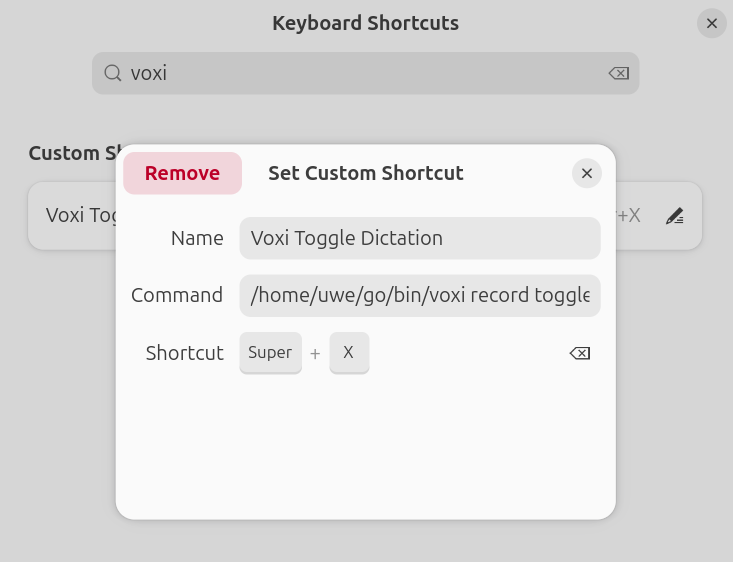
Bind voxi record toggle to any desktop shortcut. On GNOME, voxi shortcut setup configures the standard Super+X binding.
Quickstart
Install the latest Linux release and configure the user services with the project installer.
curl -fsSL https://ubunatic.com/voxi/install.sh | bashCheck the background agent, then toggle recording or open the live monitor.
systemctl --user is-active voxi-agent.service
voxi record toggle
voxi monitor --watch
Requirements
parec) or ALSA (arecord)Engineering story
The purpose-based sample store separates dictation, noise and consent-gated voice material. Read the engineering story for the design and microphone recovery work.